
Currency Settings
- Description: Controls how the currency symbol is displayed on your website.
- Accessing Currency Settings: From “Site Settings” menu, select “General Settings”.
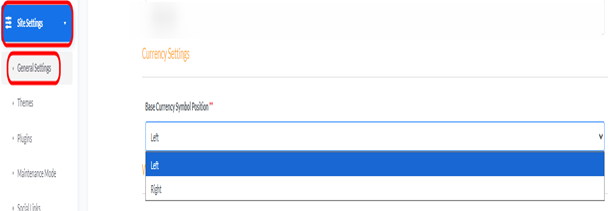
- Base Currency Position:
- Description: Determines whether the currency symbol appears before or after the amount.
- How to Change: From the dropdown, select “Right” or “Left” based on your preference (e.g., 100 EGP or EGP 100).
Saving Changes: After making any adjustments to the settings, click the “Update” button at the bottom of the page to save and apply the changes to your website.