
Adding a New Customer
- Access: From the main navigation menu on the left, click on “Registered Customers”, Click the “+ Add Customer” button.
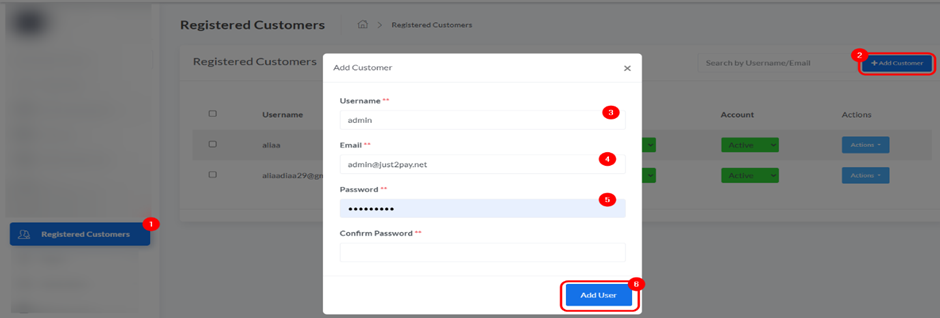
- A pop-up will appear where you need to enter the Username, Email, Password, and Confirm Password.
- Click “Add User” to create the new customer account.